How to Deposit Using Bank Transfer – Step-by-Step Guide
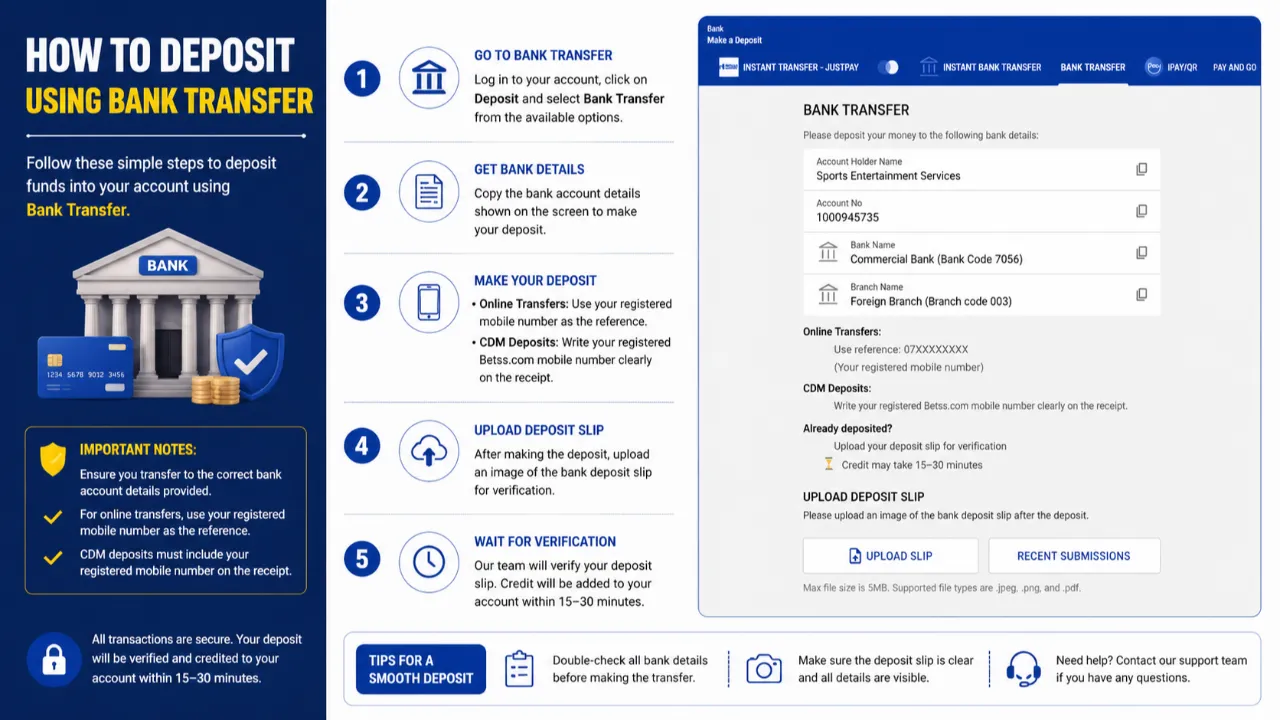
🏦 How to Deposit Using Bank Transfer – Step-by-Step Guide
Follow these simple steps to deposit funds securely using Bank Transfer:
🔹 Step 1: Go to Deposit Section
Log in to your account, click on Deposit, and select Bank Transfer from the available options.
🔹 Step 2: Get Bank Details
Copy the provided bank account details shown on the screen (Account Name, Account Number, Bank & Branch).
🔹 Step 3: Make Your Deposit
Complete the transfer using one of the following methods:
• Online Transfer: Use your registered mobile number as the payment reference
• CDM Deposit: Clearly write your registered mobile number on the deposit slip
🔹 Step 4: Upload Deposit Slip
After completing the transfer, upload a clear image of your deposit slip for verification.
🔹 Step 5: Wait for Verification
Our team will review your submission and credit your account within 15–30 minutes.
⚡ Important Notes:
✔ Always transfer to the correct bank account details provided
✔ Ensure your reference/mobile number is correctly entered
✔ Upload a clear and readable deposit slip to avoid delays
🔐 All transactions are handled securely, and your deposit will be verified before being credited.
🚀 Make your deposit now and enjoy a smooth experience!